Singapore eSIM: What Actually Matters Before You Land

Roami Team
Roami offers reliable eSIM plans, serving over 1 million travelers annually, and supports automatic local network switching to help travelers stay connected globally.
📑 Table of Contents
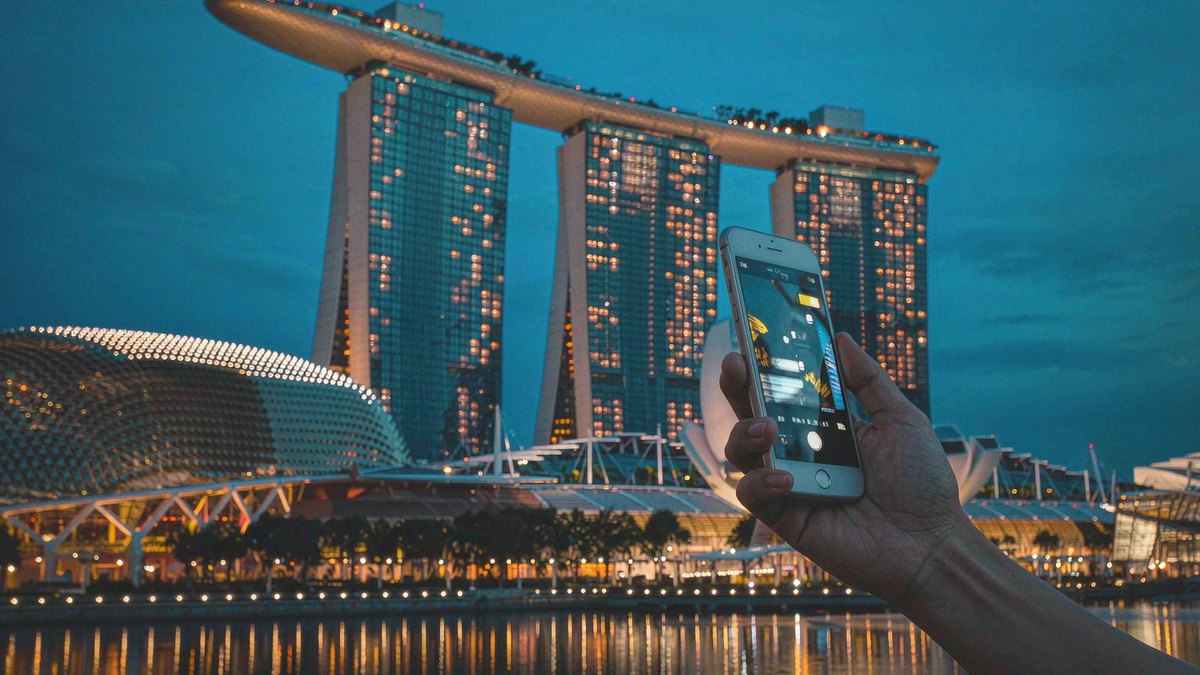
Singapore is an easy place to be online and a surprisingly easy place to get it wrong. The island has four mobile networks, near-total 5G coverage and free Wi-Fi in every MRT station, so the connection itself is almost never the problem. What catches visitors is paperwork and handset support: a prepaid registration rule that expires your line after 30 days, a 3G shutdown that silently cut off older phones from roaming altogether, and an eSIM market where two plans with the same 500GB headline behave nothing alike.
This page walks through the decisions in the order they hit you — which network, which rule, which phone, how much data, which price, which queue at Changi — and then how to install the thing without standing in an arrival hall at midnight. If you already know you want an eSIM and only need the shortlist, the best Singapore eSIM comparison does the scoring. If you want the buyer’s checklist for a package holiday, start with the arrival-day walkthrough for a package holiday instead.
The short answer: for a trip of a week or less, a data-only travel eSIM bought before you fly is the cheapest way to land connected, and $10–16 buys more data than a normal Singapore holiday can use. If you need a +65 number for calls, Grab verification or a local bank app, then only a locally registered prepaid eSIM will do — and you should read the 30-day rule below before you pay for one.
Key takeaways: Singapore’s four networks are Singtel, StarHub, M1 and SIMBA; international travel eSIMs ride one or more of them as roaming guests. Since 15 July 2024, a prepaid line registered on a foreign passport is valid for a maximum of 30 days, and the number dies with it — several guides still promise 90 days. Any 3G-only or 4G non-VoLTE handset cannot use roaming in Singapore at all, because 3G was switched off. Changi’s arrival-hall counters are 24 hours at most terminals, but the queue is the slowest part of your first hour. And an eSIM installed at home costs the same as one installed at the airport, minus forty minutes of your life.
What a Singapore eSIM replaces, and what it does not
An eSIM is a downloadable SIM profile. It lives in the same chip that holds your home SIM, so you keep your own number for calls and bank codes while a second line carries local data. Nothing about Singapore changes that mechanics — but three local details decide whether the swap is painless.
Buying an eSIM Singapore visitors can install before they fly is a different purchase from buying a registered line at a counter, and the difference is not the price. It is data-only unless the seller says otherwise. Almost every international travel eSIM for Singapore is a data plan: no +65 number, no local SMS, no ability to receive the one-time password that a Singapore app might send. Locally sold prepaid eSIMs from Singtel, StarHub and M1 are the opposite — they come with a number and local voice minutes, at the cost of passport registration.
It attaches as a roaming guest. Your travel eSIM shows up on a Singapore network as a visiting subscriber, which is why it works the moment you land and why it cannot be tied to a Singapore phone number. It is also why the network name in your settings is worth checking: it tells you whose towers you are actually on.
It must be installed before you need it. eSIM installation needs an internet connection — either Wi-Fi or a working line. Changi’s free Wi-Fi exists, but registration for it usually wants a mobile number you can receive an SMS on, which is a circular problem if your only line is the eSIM you have not installed yet. Install at home, on your own Wi-Fi, with the confirmation email open on a second screen.
That last point is the one that ruins arrivals. Everything else is recoverable in twenty minutes; an eSIM that was never downloaded, on a phone whose owner cannot get online to download it, is a taxi to a mall.
Which of Singapore’s four networks your eSIM lands on
Singapore has more network competition per square kilometre than almost anywhere. Singtel, StarHub, M1 and SIMBA all run nationwide 5G, and a long tail of MVNOs — GOMO, Zero1, redONE, CUniq, CMLink, Vivifi — resell capacity on those same towers. For a visitor the practical question is not “which is best” but “which one is my plan attached to, and does it matter where I am going”.
The honest answer: inside Singapore it barely matters. The island is 50 kilometres across, all four networks cover the MRT, the malls and the attractions, and the difference between them shows up in metres rather than kilometres — a basement food court in Far East Plaza, a corner of the Siloso Beach crowd, the back of a ballroom at Marina Bay Sands.
What the award results actually tell you
Two published results are still worth knowing, because they describe different things — and because the eSIM Singapore plans sold by international providers ride one or two of these networks at a time rather than all four.
- Coverage experience: Singtel took Opensignal’s 5G Coverage Experience award for small-landmass markets in the 2026 Global 5G Awards, repeating its 2025 win. Singtel has published nationwide 5G standalone coverage above 95% since 2022.
- Time on 5G: StarHub won the same awards’ new 5G Availability category for small-landmass markets — the share of time users actually spend connected to 5G rather than dropping to 4G. StarHub states its 5G standalone network covers more than 99% of outdoor areas.
Read together, those two results say something useful and slightly unflattering to the marketing: the network with the widest 5G footprint is not necessarily the network that keeps you on 5G the longest, and neither number predicts what happens in a basement. M1 publishes 99.98% coverage of its own, which is a population figure, not a promise about the inside of ION Orchard.
| Network | Who sells it to visitors | Where it is strongest | Where it thins out |
|---|---|---|---|
| Singtel | hi!Tourist prepaid eSIM, most international travel eSIMs | Island-wide including Mandai, Jurong, offshore islands; MRT tunnels | Crowded event venues at peak |
| StarHub | Traveler eSIM, several travel brands | Highest share of time on 5G; strong in the city core | Older mall basements |
| M1 | Tourist SIM and eSIM, some travel brands | Dense urban coverage, competitive pricing | Some outlying industrial areas |
| SIMBA | City shops only, no airport counters | Cheapest local data per gigabyte | Arrival day, since you must reach a shop first |
For a traveller, the actionable version is shorter than the table. If you are staying inside the city and Sentosa, any network works. If your trip includes the Singapore Zoo and Night Safari at Mandai, the Southern Ridges walk, Pulau Ubin or a ferry to the Southern Islands, prefer a plan that names Singtel or one that can move between networks, because those are the edges of the map where a cheap single-network plan starts to feel cheap.
Why “best network” is the wrong question for a three-day trip
Singapore is one of the few places where the network argument genuinely resolves to a shrug. There is no rural hinterland, no mountain range, no long highway where coverage collapses between towns. The entire country is smaller than the area covered by one city network in most countries, which is why every operator can claim near-total coverage without lying.
That changes what a visitor should optimise for. Not coverage percentage, but three things that actually vary: whether your plan can move between networks when one cell congests, whether the plan’s hotspot works (because your hotel Wi-Fi may be worse than the mobile network), and whether the provider publishes which network it uses at all. A plan that will not name its carrier is the one detail worth treating as a red flag, because in Singapore the name is easy to give.
The 30-day rule that old Singapore SIM guides get wrong
This is the single most useful thing on this page, and it is the thing competitors most often still get wrong.
Under IMDA rules, every prepaid mobile line in Singapore — physical SIM or eSIM, from any operator — must be registered against an identity document before it activates. For a visitor that means your passport, presented in person at the point of sale or verified through the carrier’s app with a passport photo and a selfie.
A foreign-passport registration now carries a hard 30-day ceiling that applies from the day the line is opened. When that window closes the line is suspended, the remaining balance is not refunded, and to keep the number you must re-register with a Singapore-issued identity card or work pass — documents a tourist does not have. Three related details:
- Three lines per passport. Each identity document can register up to three prepaid lines across all operators combined. M1’s S$13 data-only eSIM is excluded from that cap; the voice-and-SMS products are not.
- Minimum age 15. Registration requires the traveller to be at least 15 years old, so a family cannot register a child’s line on the child’s own passport.
- Re-entry does not extend it. If you leave Singapore for a week and come back, the original 30-day clock keeps running from the first registration, not from your re-entry.
Why this matters even for a short trip: it changes what you should buy. A fourteen-day holiday never touches the limit, so the cheap local prepaid eSIM and the international travel eSIM are competing on price and convenience alone. A six-week stay, a semester, or a return visit two months later does touch it, and the answer is not “top up the old line” — the answer is a new line, or a travel eSIM whose validity is set by the seller rather than by IMDA.
| Your stay | Local prepaid eSIM | International travel eSIM |
|---|---|---|
| 3–14 days | Fine; cheapest per GB, needs a counter stop | Fine; no registration, no queue |
| 15–30 days | Fine; watch the expiry date on the pack | Fine if the plan validity covers the stay |
| 31+ days | Line suspends; re-registration needs local ID | Buy a longer-validity plan instead |
| Repeat visits | New registration each time | Reusable if the plan is still valid |
One more consequence worth stating plainly: any guide selling you a “90-day Singapore tourist SIM” is describing a rule that no longer exists. If a checkout page promises 90 days on a passport registration, ask which validity they mean — the plan’s, or the registration’s. Those are now two different numbers.
Your phone has to support VoLTE roaming, or nothing works at all
Singapore switched off 3G through 2024. The operators’ published target was 31 July 2024, Singtel closed its own network progressively from 1 November 2024, and by the end of that year there was no 3G left to fall back on. The consequence for visitors is unusually harsh and almost completely absent from travel-eSIM comparison pages:
If you arrive with a 3G-only handset, or a 4G handset that does not support VoLTE, you cannot use roaming services in Singapore at all — no data, no SMS, no calls.
That is Singtel’s own wording to travellers, and it applies to international travel eSIMs as much as to roaming on your home plan. There is no 2G or 3G fallback to catch you. A phone that keeps a usable connection in Thailand or Indonesia can arrive in Singapore and show “No Service” permanently.
Two checks, five seconds each, before you buy anything:
- Look for a VoLTE toggle. On Android: Settings → Connections → Mobile networks → look for VoLTE calls. On iPhone: Settings → Mobile Service → Voice & Data, where a 4G/5G option implies VoLTE. If the toggle does not exist anywhere in the menus, treat the handset as non-VoLTE. Recent iPhones hide the switch because Apple manages it automatically, which is fine — those models support it.
- Look at the status bar with Wi-Fi off. If it says 3G or H+ and never 4G or 5G, the phone is either 3G-only or locked to 3G. Set the network mode to 4G/5G and check again.
Phones that fail this test are mostly older budget Android models, some grey-import handsets sold without local certification, and a long tail of dual-SIM devices where only one slot is VoLTE-capable. The last group is the sneaky one: the phone supports VoLTE, but only on the primary slot. If your travel eSIM sits in the secondary slot and the carrier has not enabled VoLTE there, data still works but voice does not — which matters if your plan includes calls.
Also worth checking while you are in settings: whether the handset is carrier-locked. A phone bought on a contract in some markets refuses foreign profiles even when the eSIM hardware is present. Dial *#06# and confirm an EID appears — no EID means no eSIM, whatever the marketing page says. The compatibility list is a faster route if you would rather look up the model than hunt through menus.
How much data a Singapore trip actually eats
Singapore is a data-light destination by Asian standards, for one structural reason: you are almost never far from Wi-Fi. Hotels, malls, cafés, the airport, even some hawker centres hand it out, and Wireless@SGx covers MRT stations, bus interchanges, libraries and community centres. The gap is not coverage, it is friction — public Wi-Fi usually wants a registration or an OTP, and standing in a hawker centre queue negotiating a captive portal is not how anyone wants to spend lunch.
So the realistic model is: mobile data for movement, Wi-Fi for volume. Movement is maps, Grab, bus arrival times, queue updates, and photo uploads.
| Activity | Data per hour | What it means for a 7-day trip |
|---|---|---|
| Google Maps with live traffic | 5–10 MB | Under 100 MB for the whole week |
| Grab or Gojek booking | 1–3 MB per ride | Negligible |
| WhatsApp text and voice notes | 5–15 MB | Negligible |
| Instagram or TikTok scrolling | 300–700 MB | The real driver |
| Video call (Zoom, FaceTime) | ~270 MB per 30 minutes | 1.5 GB for a few calls |
| HD streaming | 0.7–1.5 GB per hour | 4 GB for a rainy afternoon |
| Cloud photo backup left on | 1–3 GB | Turn it off, use hotel Wi-Fi |
A normal week — maps, Grab, messaging, social posting, one video call home, no streaming — lands between 4 and 8 GB. Add a day of theme-park queue time with YouTube and you are at 10 GB. Add remote work with daily calls and you are at 20 GB, which is where unlimited plans start to make sense and where most people discover they bought a 500GB local pack they will use a fifth of.
Three Singapore-specific quirks worth pricing in.
Universal Studios and the Mandai parks are data sinks. Queue apps, virtual passes, photo downloads, and a lot of waiting with a phone in your hand. A single afternoon at Sentosa can burn 1.5 GB if you are uploading stories on mobile data.
MRT tunnels are covered, which means your phone never gets a break. In most cities a tunnel drops the connection and background sync pauses. In Singapore it stays up, so background uploads keep running while you are underground.
Hotel Wi-Fi is often the weakest link, not the plan. Older shophouse hotels and hostels throttle. If you are working, a plan with hotspot included is the backup, and hotspot terms are the first thing to check on an unlimited plan — several cap tethering at 1 GB per day regardless of the headline allowance.
What a Singapore eSIM costs in 2026, by tier
The eSIM Singapore market runs on two price ladders and they barely touch. The international travel eSIM ladder starts around $4 and stays data-only. The local prepaid ladder starts at S$10 and includes calls, SMS, a number, and a passport registration.
| Product | Price | Allowance | Validity | Number included |
|---|---|---|---|---|
| Airalo, entry tier | ~$4 | 1 GB | 3 days | No |
| Airalo, mid tier | ~$16 | 10 GB | 30 days | No |
| Airalo, unlimited | $11.50–69 | Unlimited, 1 Mbps after ~3 GB/day | 3–30 days | No |
| Nomad, 10 GB | ~$14 | 10 GB | 30 days | No |
| Nomad, 50 GB | ~$31 | 50 GB | 30 days | No |
| Saily, 5 GB | ~$9.99 | 5 GB | 30 days | No |
| Holafly, unlimited | $11.90–73.90 | Unlimited, hotspot 1 GB/day | 3–30 days | No |
| Singtel hi!Tourist eSIM | S$10 / S$12 / S$15 / S$30 | 500–700 GB local plus regional roaming | 30 days | Yes, with calls |
| StarHub Traveler eSIM | from S$12 | 100 GB local plus regional roaming | 10–14 days | Depends on variant |
| M1 Tourist eSIM | S$12 / S$13 / S$14 | 100–500 GB local plus roaming | 15–30 days | S$12 and S$14 yes; S$13 no |
Prices sampled October 2026 from provider and carrier pages, converted at roughly S$1 = $0.77. Travel eSIM prices move with promotions and currency; carrier prepaid prices are set by the operator and change less often. Verify at checkout.
Singtel publishes the full hi!Tourist ladder on its own plan page, including the regional roaming allowances that make the S$15 tier the interesting one for anyone continuing to Malaysia or Thailand.
The per-gigabyte ranking is lopsided and the reason is structural. Local prepaid packs give away hundreds of gigabytes because the marginal cost of data on an island with four competing networks is close to zero, and because the pack is really selling you a registered line and a number. International travel eSIMs price data as a product, so 10 GB for $16 is a normal, defensible price — it simply is not competing on the same axis.
What that means in practice: buy on convenience for trips under two weeks. Look at local prepaid only when you need a number, want regional roaming in one bundle, or are staying long enough that $1 per gigabyte starts to irritate you. For most one-week visitors the difference between a $16 travel eSIM and a S$12 local pack is about the price of one hawker meal, and the travel eSIM saves an hour of your first evening.
Buying at Changi, terminal by terminal
If you decide to buy on arrival, Changi makes it about as painless as an airport can, and it is still the slowest forty minutes of the trip. Buying an eSIM in Singapore has one advantage over buying one at home: you can ask a human being questions. It has one disadvantage: you are asking them while jet-lagged, holding a suitcase, with no working data to check prices.
The counter map, terminal by terminal
| Terminal | Where to go | Notes |
|---|---|---|
| T1 | Arrival baggage hall, level 1: Changi Recommends (#01-K4), Prosegur (#01-K25 and #01-K27), Travelex (#01-K24 and #01-K26) | Most counters 24 hours |
| T2 | Arrival hall level 1: Cheers convenience store; Prosegur (#01-181), Travelex (#01-78) | Cheers is not 24 hours; the money changers are |
| T3 | Arrival hall level 1: Cheers (#01-24), Travelex opposite belts 43–44 and 46–47 | Highest footfall, longest queue at peak |
| T4 | Arrival level 1: Prosegur near belt 4 (#01-07), Xplore SG booth (#01-K4) | Smallest terminal, fastest service |
Three things the counter staff will not volunteer
Three practical notes from how these counters actually work.
Money changers sell SIMs, and that is not a scam. Travelex and Prosegur counters are the official collection points for Singtel tourist packs. You still register with your passport, and you still get the same plan.
The cheapest Singtel pack is not always stocked at the airport. The S$8 hi! SIM is explicitly not available for collection at Changi. If a deal looks too cheap on a comparison site, check the collection channel before you plan your arrival around it.
One M1 product cannot be bought by tourists at all. The S$13 data-only eSIM with instant activation is restricted to Singapore residents registering with Singpass. Visitors without a Singpass must take the pick-up-in-Singapore version instead, which means a counter visit. It is the cheapest genuine 30-day data product on the island and the one that most often goes wrong at checkout, because the restriction is stated in the FAQ rather than on the product line. M1 publishes the rule on its tourist SIM page.
Buying online and collecting at the airport is faster than buying there. You skip the plan-selection conversation, which is where most of the queue time goes. Singtel, M1 and StarHub all support pre-purchase with airport collection, and M1 lets you pick up at T1–T4.
The eSIM route avoids all of it. You buy from a travel eSIM provider or from the carrier’s own site, get a QR code by email, install it at home, and the only thing that happens at Changi is that your phone finds a network while you are still walking to immigration.
Installing the eSIM before you fly
Four minutes of work, and the single most useful thing you can do for your arrival. Do it on Wi-Fi at home, not on airport Wi-Fi after a red-eye.
- Check the EID exists. Dial
*#06#. An EID line means the phone has eSIM hardware. No EID means stop here and buy a physical SIM. - Update the phone. Old iOS and Android builds have provisioning bugs with travel eSIM profiles. One update at home is cheaper than one at a Changi charging station.
- Open the QR code on a second screen. Laptop or tablet. The phone screen will be busy with the camera.
- Add the plan. iPhone: Settings → Cellular → Add eSIM → Use QR Code. Android: Settings → Network & internet → SIMs → Add SIM → scan.
- Label it immediately. “Singapore travel” beats “Secondary” when you are trying to explain to yourself, three days later, which line is eating battery.
- Leave it switched off until you land. An eSIM that activates on first connection will start its clock the moment it sees a Singapore network. Keeping it off until after immigration means your 7-day plan covers seven full days on the ground.
Then set the defaults that the setup wizard does not: mobile data on the travel line, default voice line on your home number, and data roaming on for the travel line. That last switch feels wrong and is correct — travel eSIMs attach as roaming guests, so roaming must be permitted for them to work. Turn off “allow mobile data switching” if your phone offers it, or iOS will quietly move data back to your home SIM and charge you for it.
For a step-by-step with screenshots by device, the activation walkthrough covers the same ground; the Singapore-specific part is only the timing of when to switch it on.
Connected but nothing loads: the fix order
The most common Singapore eSIM failure is not a dead line. It is a line showing full signal bars that moves no data. Work through these in order; the first two fix most cases.
1. Confirm which line is carrying data. Settings → Mobile data. If your home SIM is still selected, everything looks fine and nothing works. This is the single most common cause and it has nothing to do with Singapore.
2. Confirm roaming is allowed on the travel line. Some Android skins default it off per-line. iOS shows “Data Roaming” under the eSIM’s own menu, not the global one.
3. Toggle airplane mode for 20 seconds. This forces a fresh attach to the network. Do it once, not five times.
4. Check the network name. If the eSIM attached but shows no carrier, the profile is provisioned but not registered — that is a provider-side problem and support should hear about it while you are still in the terminal.
5. Enter the APN manually. Most Singapore travel eSIMs provision the APN automatically. When they do not, the field is blank and nothing routes. The correct value comes from your provider’s setup email; the local carrier APNs are Singtel e-ideas, StarHub shwapint or shinternet, and M1 sunsurf. Entering a local carrier APN on a travel eSIM usually does not help and can make it worse, so use the provider’s value first.
6. Test with a plain HTTP page, not a speed test. A captive portal can let a speed test through and block real traffic. Load a map route instead — it either draws or it does not.
If it is still dead after six steps, message support with your order number and a screenshot of the eSIM’s status screen. Attachment failures are the one category providers fix fast, because they are unambiguous product faults. Buying a second plan first turns a warranty case into a duplicate purchase — a mistake that costs more than the plan.
Two lines, one phone, and keeping your home number alive
The reason to use an eSIM rather than swapping plastic is that your home line stays in the phone. That matters more in Singapore than in most places, because so much of the trip runs through apps that send verification codes: your bank app for a card-not-present check, your airline for a gate change, your hotel’s booking chat.
Set it up so the home SIM carries voice and SMS and the eSIM carries data. On iPhone that means Default Voice Line set to your home number, Mobile Data set to the eSIM, and “Allow Mobile Data Switching” off. On Android it is SIM settings → preferred SIM for calls and SMS → home SIM; mobile data → travel eSIM.
The trap is SMS. A home SIM with data roaming off will still receive SMS in Singapore on most carriers, and receiving is usually free. Sending is where charges appear. If you need to reply to a bank code by SMS, check your home plan’s roaming SMS rate before you do it in a lift.
The second trap is battery. Two active lines, one searching for a weak home network, drains a phone noticeably faster. If your carrier supports Wi-Fi calling and you are on hotel Wi-Fi most evenings, turning the home line off during the day is a reasonable trade — you lose SMS delivery while it is off, so do it after the bank codes are done.
Signal in the MRT tunnels, on Sentosa and at Mandai
Published national coverage figures are close to useless for a three-day visit. Here is the version that maps onto an itinerary, based on where visitors spend time and where signal genuinely degrades.
MRT. All four networks cover the underground stations and tunnels, including the Thomson-East Coast Line and the Circle Line’s deepest sections. Data holds through the tunnel between Dhoby Ghaut and HarbourFront, which is the stretch most visitors ride. Expect a brief drop at platform level in a few of the older stations rather than a blackout.
Sentosa. Coverage across the beaches and Universal Studios is good on all networks; the crowded Siloso stretch at mid-day is a capacity problem rather than a coverage problem, and every network slows there. The cable car is fine. The far end of Tanjong Beach is the weakest spot.
Marina Bay. Excellent outdoors, thin inside the convention centre halls and some basement levels of the malls. If you are attending an event at Marina Bay Sands, expect to rely on venue Wi-Fi inside the halls.
Mandai — Zoo, Night Safari, River Wonders, Bird Paradise. Coverage is complete on Singtel and StarHub; the enclosures with dense canopy and the tram routes are where a cheaper single-network plan can stumble. This is the part of Singapore where network choice stops being academic.
Pulau Ubin and the Southern Islands. Ubin has usable coverage near the village and jetty and patchy signal on the bike trails. Lazarus and St John have coverage at the beaches, less at the far ends. If a boat trip is the plan, download maps offline before you leave and treat signal as a bonus.
Basements and food courts. The universal weak point, on every network, in every city. Basement 2 of any Orchard mall is a coin flip. This is what offline maps are for.
Do you need a +65 number?
For most visitors, no. Grab works with a foreign number, WhatsApp handles calls, and Singapore’s attractions, restaurants and hotels all take bookings by email or app. The cases where a local number actually earns its keep:
- A local bank or payment app that requires an SMS to a Singapore number to complete setup. PayNow and most travel-friendly wallets work without it; a full local account does not.
- Marketplace or delivery accounts — Carousell, some food delivery promos, and a few loyalty programmes verify by local SMS.
- Long-stay practicalities — a lease, a clinic, a school, anything that will call you back.
If you do need one, note that the number comes bundled with the registration, not with the data. A travel eSIM cannot give you a +65 number at any price, and a local prepaid eSIM gives you one only after passport registration and only for 30 days. The phone number guide goes through the options, including the ones that do not require registering a line at all.
If you are staying longer than a month
The 30-day ceiling on passport registration is the constraint, and there is no legitimate way around it — it is an IMDA rule, not a carrier policy. Three workable patterns for longer stays:
Stack travel eSIMs. A 30-day travel plan with 20–50 GB, renewed when it expires, costs more per gigabyte than local prepaid but requires no documents and no shop visit. For a two-month stay this is the lowest-friction option.
Buy local, then re-register. With a Singapore-issued ID — an employment pass, student pass, dependant’s pass — re-registration is a shop visit and the line continues. Without one, it is not available, and the remaining balance is forfeited.
Use your home plan’s roaming for the first week and sort it locally. Sensible if you are moving for work and will have an employment pass within a fortnight anyway.
For a semester or a work assignment, the arithmetic usually favours a local postpaid or SIM-only plan once you have the pass, because the per-gigabyte price collapses and the number becomes permanent. That is a different purchase from anything on this page, and worth doing in a shop rather than online.
Grab, MRT and the apps that need data in the first hour
The first hour after landing has a predictable shape, and knowing which parts need data stops you from buying the wrong plan or the wrong amount.
Immigration and baggage do not need data. Changi’s arrival process is fast, the e-arrival card is completed before you fly, and the terminal has free Wi-Fi if you need to check a gate or a hotel address.
Getting into the city does not need data either — but it needs a card. The MRT runs from Terminals 2 and 3 to the city in about 30 minutes for a couple of dollars, and every fare gate in Singapore accepts contactless bank cards, Apple Pay and Google Pay directly. You do not need an EZ-Link card, and you do not need a local SIM to tap through. Taxis and Grab both work from the arrival level; Grab needs data, the taxi rank does not.
Grab is the first real data dependency. Booking works on any connection, but the app is chatty: driver messages, moving-map updates, and a photo of the pickup point. If your eSIM is not active, you will be standing outside the terminal asking a stranger for a hotspot, which is the most avoidable ten minutes in the whole trip.
Attraction bookings want data at the gate. Marina Bay Sands SkyPark, Gardens by the Bay, the National Gallery and Universal Studios all issue timed-entry tickets by app or email. Screenshot the QR codes at the hotel on Wi-Fi as a backup, because a screenshot works when the network does not.
Hawker centres and ordering apps. Most stalls take cash or PayNow; some newer ones use QR ordering that needs a connection. A 100 MB plan covers this for a week. A dead plan does not.
| First-hour task | Needs mobile data? | Workaround if the eSIM fails |
|---|---|---|
| Arrival card, immigration | No | Terminal Wi-Fi |
| MRT fare to the city | No | Contactless bank card |
| Grab or taxi | Yes, for Grab | Taxi rank, cash or card |
| Hotel check-in message | No | Wi-Fi in the lobby |
| Attraction QR codes | Sometimes | Screenshots taken in advance |
| Telling family you landed | Yes | Terminal Wi-Fi, then fix the plan |
The pattern is that nothing in the first hour is strictly fatal, and everything is easier with a working line. That is the argument for installing before you fly rather than at the gate: it turns a set of small frictions into no frictions.
Three Singapore eSIM purchases that usually go wrong
These are the configurations that generate the most complaints, and each has a cheaper or calmer alternative.
The 500GB local pack for a long weekend. It looks like astonishing value, and it is — for someone staying a month. For four days you will use perhaps 6 GB of it, pay S$30 for the privilege, spend twenty minutes at a counter registering, and inherit a line that dies 30 days later whether you are still in Asia or not. A $10 travel eSIM does the same job with none of the admin.
The unlimited plan for a working trip. The handset allowance is real. The hotspot allowance is often 1 GB per day, which is one video call and a large email attachment. If the trip involves a laptop, buy fixed data with full-allowance tethering and stop reading the unlimited marketing.
The plan bought three weeks early and registered on arrival. Singtel’s hi!Tourist states that validity starts at purchase, and the eSIM must be registered within 90 days or it expires — but the plan’s own clock and the registration window are not the same thing, and registering early can start the plan before you land. The safe sequence is to buy within a few days of flying and register the day before arrival, then confirm the activation date at the counter or in the app.
| Wrong purchase | Typical cost of the mistake | What to buy instead |
|---|---|---|
| 500 GB local pack for 4 days | ~S$18 wasted plus a queue | 5–10 GB travel eSIM |
| Unlimited with 1 GB/day hotspot | A laptop with no internet | 20 GB fixed with full hotspot |
| Bought weeks early, registered immediately | Days of validity burned | Buy close to departure |
| Data-only plan when you needed calls | No number for bank or Grab checks | Local prepaid with voice |
| Single-network plan for Mandai and Ubin | Weak signal exactly where you wanted it | Singtel-backed or switching plan |
The signal that you are about to buy wrong
If a product page describes Singapore coverage as “excellent nationwide” and never names a carrier, you have found marketing rather than information. On an island with four networks and near-total coverage, naming the carrier costs the seller nothing and is the single most useful fact on the page.
Questions people ask before paying
What is the cheapest eSIM Singapore visitors can buy on arrival, and is it enough? A 1 GB, 3-day travel plan at around $4 is the floor, and it covers arrival day plus a couple of days of maps if you lean on hotel Wi-Fi for everything else. Below that price you are usually looking at a promotional tier or a validity shorter than the trip itself.
Is an eSIM Singapore’s cheapest way to get online for a week? Yes, on total cost. A 5 GB travel eSIM at about $9.99 beats a S$12 local pack once the counter time is counted, and a 3 GB plan at $6.50 beats it outright for a four-day trip.
Is an eSIM cheaper than a Singapore SIM card? For a trip under two weeks, usually yes once you count the counter time, and no if you count only dollars: a S$12 local pack beats a $16 travel plan on price. For a longer stay the local pack wins outright on data volume. The SIM card versus eSIM comparison puts numbers on both sides.
Can I buy a Singapore eSIM after I land? Yes. Airport counters in all four terminals sell physical SIMs, and both travel eSIM providers and the carriers sell eSIMs online that you can install on airport Wi-Fi. It is slower than installing at home and works fine.
Does a Singapore eSIM work in Malaysia and Indonesia? Only if the plan includes regional roaming. Singtel’s hi!Tourist and StarHub’s Traveler bundles include Malaysia, Indonesia, Thailand and Hong Kong roaming on most tiers. Data-only travel eSIMs for Singapore usually do not, and a Johor Bahru day trip will then cost you a second plan.
Will my eSIM work on the MRT underground? Yes, on all four networks, with brief drops at a few older platforms. The tunnels are covered, which is unusual by international standards.
Do I need to register a travel eSIM with my passport? No. Passport registration applies to locally issued prepaid lines. International travel eSIMs attach as roaming guests and are exempt — which is exactly why they are the easy option.
What happens if I lose my phone with the eSIM on it? The line cannot be moved by re-scanning the same QR code; most providers require a reissue, often at a fee, and some carriers require a police report. Keep the QR email and the order number in cloud storage, not only on the phone.
Is 5G included, or do I get 4G? All four Singapore networks run 5G, and most travel eSIMs allow it where the handset supports the bands. A few cheaper SKUs are 4G-only, which in Singapore is a small penalty — 4G median speeds here are faster than 5G in most countries.
How fast is the connection, realistically? Fast enough that the plan is never the bottleneck for maps, Grab or video calls. Congestion at event venues and in basements is the only routine slowdown, and it affects every network.
The pick, by trip length
A long weekend, carry-on only: a 5 GB travel eSIM installed at home, roughly $9–10, switched on after immigration. Nothing else needed.
One week, normal sightseeing: 10 GB for about $16, or a S$12 local pack if you want a +65 number and do not mind a counter stop. Either is comfortably enough.
Two weeks with family and two phones: two separate 10 GB plans rather than one shared hotspot. Tethering two teenagers to one phone flattens the battery by lunchtime.
Anything involving work calls: fixed data with full-allowance hotspot, 20 GB or more. Avoid unlimited plans with a 1 GB/day tethering cap unless you enjoy explaining to a client why the video dropped.
A month or more: a 30-day plan sized to 20–50 GB, renewed rather than topped up, since most travel plans cannot be extended mid-cycle.
If the local line is the one you want, the Singtel purchase sequence, QR code and registration walks that order of operations step by step. Current Singapore allowances and prices are on the Singapore eSIM page; if you want brand-by-brand scoring rather than a decision framework, eight plans scored on network and hotspot terms is the next read, and the tier arithmetic covers cost per usable gigabyte in detail.