Dubai eSIM: What Actually Works From the Airport to the Marina

Roami Team
Roami offers reliable eSIM plans, serving over 1 million travelers annually, and supports automatic local network switching to help travelers stay connected globally.
📑 Table of Contents
Dubai is one of the easiest cities in the world to be online in, and one of the most confusing to plan for, because the three things that go wrong there have nothing to do with signal strength. Your data will be fast. Your data will also fail to make a WhatsApp call, fail to give you a local number, and fail to help you if you left the activation until the taxi rank at Terminal 3.
The 30-second answer: buy a travel eSIM before you fly, install it at home, and switch it on after landing. Dubai’s two networks cover the entire city and the airport, so the only real decision is whether you need a local number — and if you do, that is a counter purchase, not an online one. A data plan for a four-day visit starts at $3.99 and takes about three minutes to install.
This page is about the city layer: which terminal exits work, how the metro and Nol card fit in, which apps need what, where hotel Wi-Fi quietly lets you down, and the three timings (Friday, Ramadan, 2 a.m.) that change how much data you burn. For the country-level rules — registration, VoIP licensing, why 2G is gone — read the what the UAE regulates first if you have not.
Do you need a Dubai eSIM if the airport hands out free data?
Partly, and the honest answer depends on how long you are staying.
Both UAE operators run arrival offers aimed at visitors. du advertises a free tourist eSIM with 10 GB valid for 24 hours, activated digitally; e& runs a comparable visitor starter bundle, and du has also distributed free tourist SIMs at immigration counters at Dubai International. Anecdotally these are the best-value 24 hours in travel connectivity: 10 GB is more than a normal person uses in three days.
So why buy anything?
- The free bundle expires in 24 hours. Most Dubai trips are longer than that.
- It is a local line, which means the identity step. For a first-time visitor that generally means a counter, documents and a queue — see the du and e& breakdown for what actually happens at the desk.
- It occupies your SIM slot and your attention at the exact moment you are tired, holding bags, and trying to find the taxi queue.
- It does not cover the flight in. A pre-installed eSIM is live the second the aircraft doors open, before immigration, which matters if you need to message a driver or check a connection.
The sensible combination for a 4–7 day trip: a paid travel eSIM as your data layer, and the free 24-hour bundle only if you happen to pass a counter with no queue and want a local number as a bonus. The sensible combination for a 10-hour layover: take the free bundle and save your money. Both are legitimate.
If you are still deciding whether the paid plan is worth it at all, the arithmetic is in what a Dubai data plan really costs per gigabyte, and the question of which provider to pick is separate — answered by failure mode rather than price in the comparison logic. Neither decision needs to be made at the airport.
A note on spelling, because it confuses people comparing offers: providers write this product as Dubai eSIM, Dubai e-sim, or e sim Dubai, and sometimes as dubai e sim in app store listings. It is one product with one installation method. If a page is selling “e sim Dubai” as something different from an eSIM, it is a spelling variant, not a separate technology.
DXB Terminal 1, 2 and 3: where your data works the moment you land
Dubai International has three terminals and they behave differently, mostly in ways that affect your first fifteen minutes rather than your signal.
Terminal 3 handles most Emirates flights and is the largest. Arrivals flow into a hall where immigration queues can run 20–40 minutes at peak (early morning widebody banks are the worst). Data-wise it is fine: strong coverage throughout, including the baggage hall and the taxi rank. The practical issue is that everyone around you is also on their phone, and the concourse Wi-Fi gets congested — which is exactly the case for having your own connection rather than joining the crowd on free airport Wi-Fi.
Terminal 1 is the older main terminal, used by many non-Emirates carriers. Coverage is good; the walk from gates to immigration is longer, and the arrivals hall is where you will find the du and e& counters if you want a local line. Expect the counters to be busiest between 06:00 and 09:00.
Terminal 2 serves several low-cost carriers and is physically separate from the others, on the far side of the airport. It is smaller and faster to clear, but transfer options to the city are thinner — the metro does not reach it directly, so you are on a bus or a taxi. If you land here, get your data sorted before you land, because the terminal’s commercial area is not where you want to be learning how to scan a QR code.
Al Maktoum International (DWC) in the south, near Expo City, handles a small share of traffic and is far from the city. If your flight goes there, assume no useful SIM counter and no metro; the eSIM is not optional.
Three arrival habits worth adopting regardless of terminal:
- Switch the eSIM on before you join the immigration queue, not after. Registration takes 2–5 minutes, and it happens while you stand still. Doing it later means doing it while a taxi driver waits.
- Do not open a ride-hailing app until you know which exit you are at. Dubai International’s exits are numbered, drivers ask for the number, and the app’s pin can land you on the wrong level.
- Download the offline map of Dubai while still on aircraft Wi-Fi. The first map load is the heaviest thing your connection will do all day.
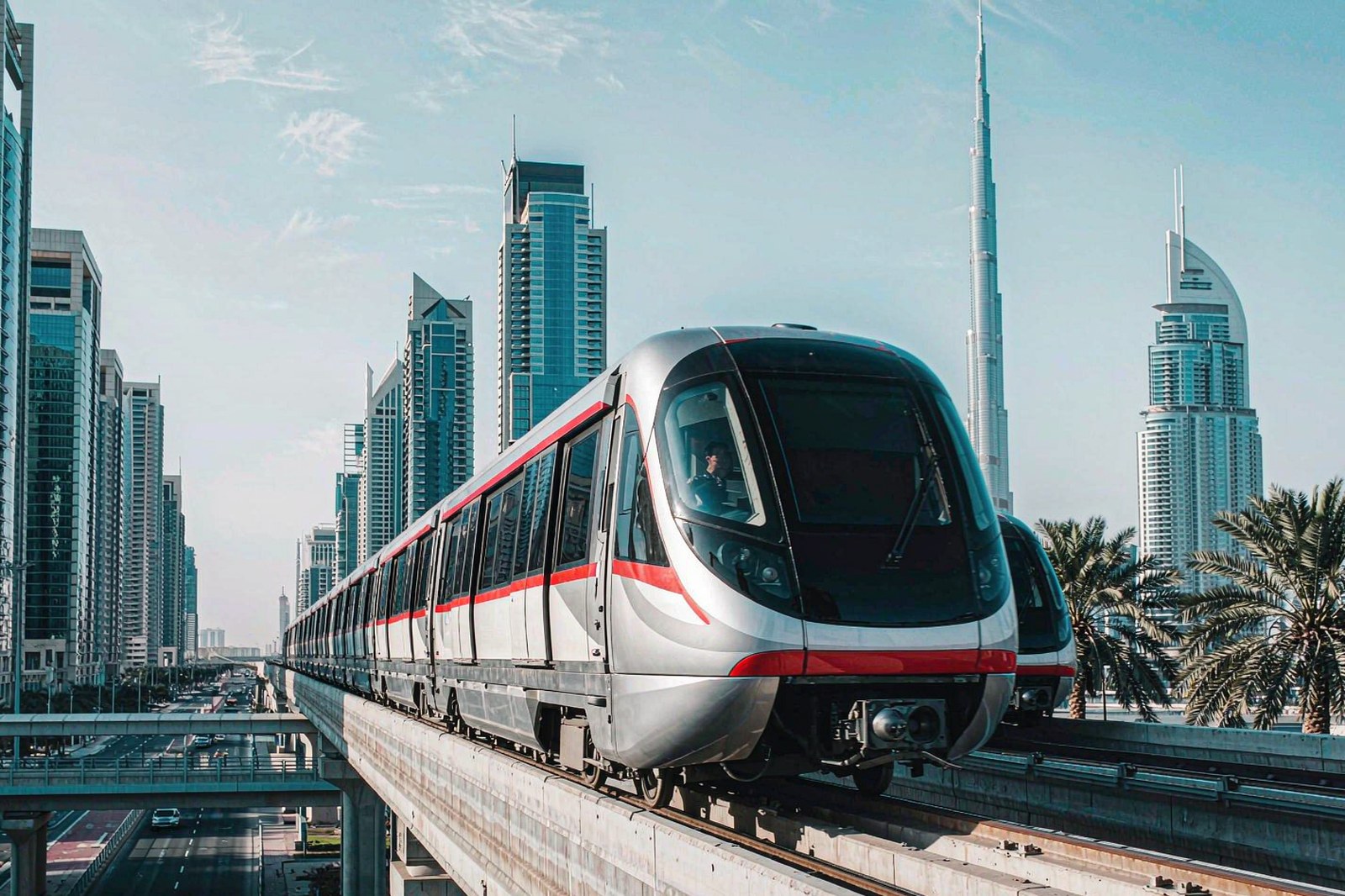
eSIM for Dubai Metro and Nol: what the card machine needs from you
The metro is the best transport decision in Dubai and it has one connectivity quirk.
The Nol card is a stored-value smart card used across metro, buses and water buses. You can buy and top up at station machines, ticket offices, and via apps. The machines accept cards and cash, and they work offline — so you do not need data to ride. What you do need data for is everything around the ride: checking the next train on a journey planner, working out whether the Red Line interchange at Union or BurJuman is faster for your hotel, and looking up which exit puts you closest to a specific tower.
A few specifics that save real time:
- Station names do not match area names. “Burj Khalifa/Dubai Mall” station is a 10-minute air-conditioned walk from the mall entrance, not at it. “DMCC” serves JLT. “Al Fahidi” is your stop for the old town and the creek abras.
- Google Maps transit directions in Dubai are usable but not authoritative for metro timings. The official RTA app is more accurate on disruptions, and it is worth installing before you fly on Wi-Fi.
- The metro runs until roughly midnight on weekdays, later on Thursdays and Fridays. This single fact determines whether your evening ends with a $4 metro ride or a $20 taxi, and it is why “last metro” belongs in your planning rather than your improvisation.
If your hotel is in Deira, Bur Dubai, Downtown, Business Bay, Marina or JLT, the metro plus walking covers your whole trip. If it is on the Palm, at a beach resort, or along Sheikh Zayed Road between stations, you will use ride-hailing more than you expect — and that changes your data profile, because ride-hailing apps poll location constantly.
Careem, Uber and the taxi rank: which one needs a local number
The short version: none of them require a UAE number to ride, and all of them work better if you set them up before you land.
Careem is the regional app and generally has better coverage of local drivers and cash-free payments. Registration uses your home number, and the verification SMS arrives on your home SIM while you are roaming — which works, and costs nothing on most carriers. Set it up at home, add a card, and the app is ready when you land.
Uber operates in Dubai and Abu Dhabi on the same model. If you already have an account, nothing changes. If you do not, the same home-number verification applies.
Street taxis are metered, plentiful at the airport, and take cards in most vehicles. You do not need an app at all, and for a single airport-to-hotel run at 3 a.m. it is often the least stressful option: no pin, no waiting, no arguing about the pickup point.
Three details that catch first-timers:
- The airport surcharge is real. Taxis from DXB add a flagfall supplement, so a ride that costs $12 from the city to the airport costs more in the other direction.
- Salik tolls are added silently. Dubai’s road toll system charges per gantry crossed. The amount is small, and it appears on the meter or the app total without explanation.
- Careem’s pin can be wrong at malls. At Dubai Mall, the correct pickup is a specific level of a specific car park. Drivers will call you, and if you cannot take a voice call, you will be messaging them instead. This is the one place where a UAE number is genuinely convenient — and the workaround is to use the app’s chat and share your exact parking level.
Why the driver cannot find you, and what data fixes
The pickup pin is the most common first-hour failure, and it is a data problem before it is an app problem. A pin dropped while the phone is still on airport Wi-Fi can settle on the terminal building instead of the road outside it, and the driver then circles a level you are not standing on. The fix is one action: switch the eSIM on, wait until the phone shows a settled signal, then open the app and set the pin from the map rather than from the search result. If the driver calls and you have no voice line, in-ride chat runs over data and is the route most visitors end up using anyway.
Hotel Wi-Fi in Dubai is fast until it isn’t
Dubai hotels advertise connectivity aggressively, and for the most part deliver. The failures are consistent enough to plan around:
| Where Wi-Fi fails | Why | What to do |
|---|---|---|
| Pool deck and beach | Coverage designed for rooms, not outdoors | This is the eSIM’s main job on a holiday |
| Conference floors mid-morning | Hundreds of devices, one access point per hall | Tether from your phone for the session that matters |
| Older Deira and Bur Dubai buildings | Thick walls, retrofitted access points | Ask for a room near the corridor, or rely on data |
| Hotel restaurants at dinner | Guest network saturated by streaming | Use mobile data for the reservation confirmation |
| Airport hotels during transit banks | Guests checking in and out in waves | Same |
The behavioural rule that saves the most money: turn off automatic photo and video backup on cellular, and let it run overnight on hotel Wi-Fi. A single holiday’s worth of photos can be 8–15 GB of upload, which is more than most people’s entire plan. It is also completely invisible until the plan is gone.
The second rule: streaming on hotel Wi-Fi, maps and messaging on the eSIM. This keeps the plan for the things that need to work outdoors, which is where Wi-Fi cannot help you.
Friday, Ramadan and 2 a.m.: three timings that change your data use
Dubai’s week does not run on a Western clock, and three specific timings change both your data consumption and your chances of getting a table, a taxi, or a delivery.
Friday. The weekend in the UAE runs Saturday–Sunday, with Friday a shorter working day and the main prayer at midday. Practically: many shops and attractions open late morning, close for an hour or two around prayer, then reopen into the evening. Metro is busiest late afternoon. If you are relying on a delivery app for lunch on a Friday, expect longer times and fewer drivers between 12:00 and 14:00.
Ramadan. For about a month each year, daytime eating, drinking and smoking in public are restricted, some venues adjust hours, and the rhythm of the city shifts to late night. Restaurants open for iftar and stay busy until well past midnight. Two consequences for connectivity: your evening data use moves much later, and delivery apps get genuinely overloaded in the 30 minutes before sunset. If you are visiting during Ramadan, plan a bigger evening data allowance and do not expect a prompt iftar delivery.
2 a.m. Late arrivals change everything. The metro is closed, the airport’s commercial area is half-shuttered, taxi supply is thin, and hotel check-in desks run on a skeleton crew. If your flight lands after midnight, the correct preparation is: eSIM installed and switched on before boarding, offline map downloaded, hotel address copied into a note you can read without data, and a card already registered in a ride app. That is a five-minute list that prevents a very long hour.
A fourth timing worth knowing, seasonal rather than weekly: the city’s outdoor season runs roughly October to April. Between June and September, daytime temperatures push most activity indoors and into the evening, which means more time in malls and metro — both of which have their own Wi-Fi and their own congestion. Your data use shifts rather than grows.
Here is how the three timings translate into a rough daily pattern, which is more useful for sizing a plan than any generic average:
| Time window | Where you are | What your data does | Share of daily use |
|---|---|---|---|
| 07:00–10:00 | Hotel, metro, first stop | Maps, ride-hail, tickets | 15% |
| 10:00–16:00 | Attractions, malls, beach | Photos, lookups, occasional video | 35% |
| 16:00–19:00 | Transit, hotel, change | Messaging, route replanning | 10% |
| 19:00–23:00 | Dinner, marina, mall | Social posting, streaming, calls home | 30% |
| 23:00–07:00 | Hotel Wi-Fi | Backup, downloads, updates | 10% |
Two conclusions follow. If your hotel Wi-Fi is good, a 3 GB plan genuinely covers four days, because the biggest single block — overnight backup — happens off your plan. If your hotel Wi-Fi is bad, everything moves onto cellular and the same trip needs 8 GB. Check the Wi-Fi on the first night before you judge your plan, and if it disappoints, look at the fair-use mechanics behind unlimited plans rather than buying more capped data.
Is a Dubai eSIM cheaper than a du tourist SIM bought at the airport?
For most short trips, yes, and the gap is larger than the headline prices suggest.
| eSIM Dubai, bought before you fly | du or e& tourist SIM/eSIM at the airport | |
|---|---|---|
| Entry price | $3.99 for a small plan | Around AED 49 for the cheapest paid bundle |
| What the entry price includes | Data only | Data plus local minutes, sometimes unlimited data for a period |
| Time cost | 3 minutes at home | 20–60 minutes at a counter, plus queue |
| Documents | None | Passport plus entry stamp; verification at the desk for first-time visitors |
| Local number | No | Yes |
| Flexible top-up | Usually yes, in-app | Yes, via operator app or recharge card |
| Works before you land | Yes | No |
| Best case | 4-day sightseeing trip | 2-week stay with calls to local numbers |
Convert honestly and the comparison is clear: AED 49 is roughly $13, and for that you get a local number, minutes, and the ability to receive calls from restaurants and drivers. If you value a local number at more than $9, the counter is a better deal. If you do not, you are paying $9 and forty minutes of your first hour in Dubai for something you will not use.
The exception that flips the answer: a stay of two weeks or more. Data-only plans get expensive per gigabyte at that length, local bundles include more data for the money, and a UAE number starts to earn its keep. The full comparison of the two routes covers that case properly.
Dubai Marina, Downtown and Deira: where the signal is weakest
Dubai’s coverage is excellent in aggregate and uneven in specific places. Knowing the uneven places stops you blaming your provider.
Downtown and Business Bay. Very strong outdoors, weaker in the deep basements of Dubai Mall and in the lower levels of residential towers. The Dubai Mall’s older sections have the poorest signal, mostly because of the sheer mass of concrete and steel above you. Shops and restaurants inside generally rely on mall Wi-Fi, which is free but congested at weekends.
Dubai Marina and JBR. Strong throughout, including the beach, with one caveat: at peak evening hours on a weekend, cell capacity in the Marina walk area is genuinely stressed. Downloads slow, calls drop. This is congestion, not coverage — moving 200 metres inland usually fixes it.
Deira and Bur Dubai. Older, denser, lower-rise. Coverage is good but street-level signal is patchy in the covered souks and in narrow lanes behind the creek. If you are navigating the gold or spice souk on foot, download the map before you go in.
The Palm. Good outdoors, weaker inside the large resort complexes and on the outer fronds where buildings block line of sight. Not a problem if you are staying on the trunk.
Sheikh Zayed Road between interchanges. Excellent, including on the move. This is one of the few places where you can genuinely stream video in a taxi without buffering.
Hatta and the mountain roads toward Oman. This is the one part of the emirate where coverage genuinely thins. If your itinerary includes the mountain enclave, download everything first and do not plan to work from there.
Leaving Dubai for Abu Dhabi or another emirate: what happens to your plan
One of the least-understood facts about UAE connectivity: there is no roaming between emirates. A Dubai eSIM is a UAE eSIM. Your profile connects to the same two national networks in Abu Dhabi, Sharjah, Ajman, Ras Al Khaimah, Fujairah and Umm Al Quwain, with no extra charge and no settings change.
What does change is your daily routine, and therefore your data profile:
- Dubai to Abu Dhabi is about 140 km on the E11, roughly 90 minutes by car, with continuous 5G for almost all of it. If you are commuting between the two, you will burn data on the road unless you download a playlist first.
- Sharjah and Ajman are effectively contiguous with Dubai. Signal is continuous; the border is a sign, not a boundary.
- Fujairah and the east coast involve crossing the mountains, where there are real gaps of a few minutes at a time. Not a problem for maps, a problem for a live call.
- Oman is a different country and a different set of networks. A UAE-only plan stops working at the border. If your trip includes Musandam or Muscat, you need a regional or multi-country plan, and you should check the country list rather than assume.
For an Abu Dhabi-heavy itinerary, the city-specific detail — Yas Island, Saadiyat, the cruise terminal, the airport — is in the Abu Dhabi guide.
Tickets, timed slots and the app that decides your morning
Dubai’s big attractions are app-first, and this changes what your data plan is for. You will not need much bandwidth; you will need it at specific doors, at specific minutes, and a failure there costs more than a slow map.
Across the major sites the setup is consistent. Tickets are electronic, entry is timed, and the gate staff scan a QR code from your phone or from a printed page. Booking platforms push you toward their app for the ticket, and the app occasionally refreshes its token when opened. That refresh needs a connection.
Where this bites:
- Timed-entry attractions sell out days ahead in peak season, so you book before you travel and then need the booking to be retrievable on the day. If the ticket lives only in an app that requires a login and a live connection, you are one dead battery or one dead connection away from a problem at the gate.
- The walk from the metro to the entrance is where people discover they left the ticket in an email they cannot open.
- Late changes — a delayed morning, a rescheduled slot — are handled in the app, not at the desk.
Three habits prevent all of it. Save every ticket as a PDF or image in the phone’s wallet or photo album, not only in an app. Screenshot the booking reference and the timed slot. And when you arrive at a big complex, connect before you enter the queue rather than inside, because the queue area is exactly where several hundred people are competing for the venue’s Wi-Fi.
A related Dubai detail: many attractions sit inside or beside a mall, and malls are signal-hostile in their deeper sections. If your plan is “buy the ticket when I get there,” you may find yourself standing in a basement with one bar. Buy before you go, and the venue’s connectivity stops being your problem.
Port Rashid and Dubai Harbour: what a cruise day actually needs
Dubai is a turnaround port for several Gulf itineraries, which means on any given weekend a few thousand passengers are disembarking, embarking, or doing a one-day call. The connectivity picture is different from an airport arrival and worth planning separately.
Two terminals matter. Port Rashid, near Bur Dubai, is the older and larger cruise terminal and the one most turnaround calls use. Dubai Harbour, next to Dubai Marina and JBR, handles a growing share and is walkable to the beach and the marina restaurants.
Terminal Wi-Fi collapses at the worst moment. When a ship disembarks, the terminal fills in a fifteen-minute window and everyone opens a phone at once. It recovers, but the first half hour is not when you want to be looking up where your tour meets.
There is no useful SIM shop in the terminal. Unlike the airport, the cruise terminal does not have a line of operator counters. If you arrive by sea without data, you are dependent on the terminal Wi-Fi until you reach a mall or a store.
The two distances that matter. Port Rashid to the old town and the creek is a short taxi ride; to Downtown and Dubai Mall it is longer than it looks on a map because of the creek crossings. Dubai Harbour to JBR is a walk.
What a cruise day actually needs from your phone: the tour meeting point, the all-aboard time, and the port name spelled correctly for a taxi driver. All three are things you should have offline as well as online. A data plan makes them convenient; a note in your phone makes them certain.
If your itinerary continues to Abu Dhabi — many Gulf cruises call at both — the plan carries over with no change, and Abu Dhabi for cruise passengers covers the port and city side of that call.
The 10-minute setup for a Dubai arrival
Ordered by what you can do where. Doing these out of order is how people lose their first hour.
Before you leave home (5 minutes)
- Check the phone is carrier-unlocked: Settings → General → About → “Carrier Lock” should read “No SIM restrictions” on iPhone, and the equivalent on Android.
- Buy the plan. Confirm whether validity starts at installation or at first connection in the UAE — most start on connection, so buying early is safe.
- Install the profile on Wi-Fi, label the line “Dubai”, and leave it switched off.
- Turn on data roaming for that line. A travel eSIM in the UAE is roaming by definition; leaving roaming off is the number one cause of “no data” on arrival.
- Set your home SIM for calls and SMS, the eSIM for mobile data, and disable “Allow Mobile Data Switching” so the phone cannot quietly fall back to your home plan.
- Screenshot the QR code into a cloud-synced note. Keep the manual activation string too.
On the aircraft (2 minutes)
- Switch the eSIM on.
- Download the offline map of Dubai and the Abu Dhabi area.
After landing (3 minutes)
- Confirm the status bar shows e& or du. If it shows “No Service”, wait two minutes before touching anything.
- Open a map and let it move. If tiles populate, you are done.
If it does not work
Check, in this order: is the eSIM the active data line; is roaming on for that line; is the APN blank or wrong. Then toggle airplane mode for ten seconds to force a fresh registration. Nine out of ten arrival failures are one of those three settings, and the what each activation error means has the device-specific paths.
Worth knowing before the airport: Buy before you fly and skip the counter queue; the free 10 GB / 24-hour arrival bundle is real but expires fast and needs a counter visit. Dubai’s signal is strong everywhere a tourist goes, with genuine weak spots inside Dubai Mall basements, the covered souks and the mountain road to Hatta. No ride-hailing app needs a UAE number, but a local number makes mall pickups and restaurant callbacks easier. WhatsApp voice calls will not work on any network; Teams and Zoom do. Plan around the metro’s roughly midnight close, Friday prayer hours and, if you are visiting during Ramadan, the late-night data peak.
Frequently asked questions
Can you buy an eSIM at Dubai Airport?
You can buy a local tourist eSIM or SIM from du or e& at the airport, but not instantly and not without documents. First-time visitors generally complete identity verification at the counter, then receive a QR code to scan on the spot. If you want a plan that is already installed and waiting, buy a travel eSIM before departure — that is the only route that works before you land.
Is an e sim for Dubai the same thing as a travel eSIM?
Yes. The spelling with a space is how a lot of people type it into a search box, and a few providers use it in app store descriptions. There is no separate product: it is an eSIM profile installed by QR code or by app, connecting to e& or du. Anyone selling “e sim Dubai” as a distinct technology is describing the same thing.
Does a Dubai eSIM work inside the metro tunnels and on the road to Hatta?
Metro, yes, including in the underground stations. The tunnels carry coverage on the platforms and through most of the running sections, which is why you can answer a message between Union and BurJuman. Outside the city, coverage follows the roads: strong on the E11 and the main highways, thinner on the mountain road toward Hatta. If your itinerary leaves the built-up area, download maps and messages beforehand, and do not plan a live video call from a remote stretch.
How fast is 5G in Dubai in practice?
Fast enough that speed stops being the interesting question. On both networks, measured download speeds in central Dubai routinely exceed what a phone can usefully display, and the practical limit is server-side and congestion rather than the radio link. The speeds that matter are the ones at 8 p.m. on a Friday in the Marina, when capacity is shared among a very large number of people, and there 5G still beats 4G comfortably.
Do I need a Dubai eSIM for a 12-hour layover?
Probably not, if you are staying inside the airport. DXB has free Wi-Fi, and the lounges have their own. Where an eSIM earns its $4 on a layover is when you leave the airport — a quick trip to a mall, a hotel day room, or a city tour — because airport Wi-Fi does not follow you, and buying a local SIM for six hours is not worth the queue.
What happens if I run out of data in Dubai?
Most travel eSIMs let you top up in-app against the same profile, and the new data attaches immediately. If your provider cannot be reached, buy a second plan from the same or another provider and install it alongside — phones hold multiple profiles, and switching between them takes seconds. What you should not do is wait until you are at 100 MB to think about it, because topping up from a hotel lobby at midnight is a worse experience than topping up over breakfast.
Is Dubai eSIM good for a business trip with calls?
For data-heavy work, yes. For voice, check what “calls” means. If your calls run through Teams, Zoom or Google Meet, they work — those are on the regulator’s approved list. If they run through WhatsApp or FaceTime audio, they generally do not, regardless of which eSIM or network you use. If your calls are ordinary phone calls to landlines and mobiles, you need a local line with minutes, because a data-only eSIM cannot place them.
Which is better in Dubai, du or e&?
For a tourist itinerary, the difference is small enough to ignore, and both cover the airport, the metro, the malls and the highways. e& tends to lead on measured speed and indoor performance in large buildings; du is the operator behind most airport tourist desks and the free arrival eSIM. A plan that can switch between them removes the question entirely, which is the argument for automatic network switching over a single-network profile.
The last-metro rule, and three more worth keeping
- Install before you fly, keep roaming on for the eSIM line, and expect two minutes of registration on landing.
- Skip the airport counter unless you specifically want a UAE number; the free 24-hour bundle is a nice extra, not a plan.
- Set up Careem and your offline map at home. Those two things remove the only genuinely stressful part of arrival.
- Size the plan for outdoor hours, not total hours. Hotel Wi-Fi carries the evenings; your data carries the streets, the metro and the beach.
For a plan that lands already working, the UAE data plans on Roami starts at $3.99 and switches between e& and du automatically, which is the one feature that matters in a city this dense.